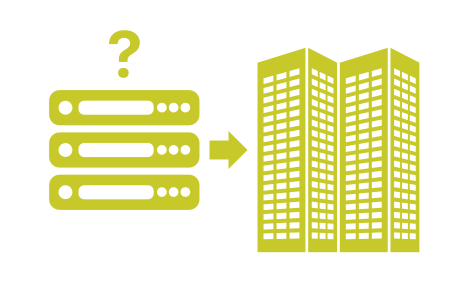
As a small business owner, you might wonder, "Do I need a server for my small business?" This is a critical question as your business grows and the demands on your IT infrastructure increase. Servers, whether physical or virtual, can be the backbone of your operations, providing a central hub for data storage, application hosting, and remote access. In this guide, we will explore how servers can benefit small businesses, the costs involved, the difference between onsite and offsite hosting, and tips on saving money on cloud needs.
How Can a Server Help a Small Business Owner?
A server can be a game-changer for a small business owner. Here’s how:
Centralized Data Storage
Having a server provides a centralized location for all your business data. This central hub makes it easier for employees to access and share information, enhancing collaboration and productivity. Whether you opt for a physical server or cloud storage, centralizing your data can simplify management and security. Servers allow for streamlined data management, improved data integrity, and easier data backups.
Improved Security and Backup
Servers can offer enhanced security measures compared to individual computers. With dedicated servers, you can implement robust security protocols, regular backups, and disaster recovery plans. This ensures that your business data is protected against loss, theft, or damage. Advanced security features such as firewalls, intrusion detection systems, and encryption can also be integrated to protect sensitive information.
Enhanced Remote Access
A server allows for seamless remote access, enabling employees to work from anywhere. This is particularly beneficial if your business has a remote or hybrid work model. With secure remote access, employees can connect to the company’s network, access files, and use applications as if they were in the office. This flexibility can lead to increased productivity and employee satisfaction.
Scalability and Performance
As your business grows, so will your IT needs. Servers, especially virtual private servers (VPS), can be easily scaled to accommodate increased data and user demands. They provide the power supplies needed to handle heavy-duty applications and large volumes of traffic without compromising performance. Servers can be upgraded with more storage, memory, and processing power to meet the evolving needs of your business.
Improved Collaboration and Workflow
A server can facilitate better collaboration among employees by providing a shared space for documents and applications. This can improve workflow efficiency and ensure that everyone is working with the most up-to-date information. Features such as version control, shared calendars, and project management tools can also be integrated to enhance collaboration.
How Much Does a Server Cost for a Small Business Owner?
The cost of a server for a small business varies widely based on several factors:
Initial Setup Costs
Setting up a server involves purchasing the hardware, software, and network infrastructure. A basic physical server might cost anywhere from $500 to $10,000, depending on the specifications and capacity. For cloud services like VPS and dedicated server hosting, the initial costs are typically $0, as there is no hardware purchase required.
Ongoing Maintenance and Support
Maintaining a server requires regular updates, security patches, and technical support. If you choose to build a server, you’ll need to account for ongoing maintenance costs, which can range from $100 to $500 per month. Cloud services typically include maintenance in their subscription fees, which can range from $10 to $500 per month, depending on the service offered (VPS or Dedicated Server) and support features.
Energy and Space Costs
Physical servers require a dedicated space with adequate cooling and power supplies. This adds to the operational costs, including electricity and physical space. Cloud storage, on the other hand, eliminates these expenses as the servers are hosted offsite in a data center. Hosting your server offsite can reduce your energy consumption and free up physical space in your office.
Licensing and Software Costs
In addition to hardware costs, you’ll need to consider licensing and software costs. This includes operating system licenses, server management software, and any additional applications required for your business operations. Licensing fees can vary based on the software and the number of users or devices, and can build up costs very quickly.
Onsite vs. Offsite Server Hosting: Which is Better?
Deciding between onsite and offsite server hosting depends on your business needs and resources.
Onsite Server Hosting
Onsite hosting involves having a physical server located at your business premises. This option provides full control over the server and its environment. However, it requires significant upfront investment in hardware and infrastructure, as well as ongoing maintenance. Onsite hosting can be beneficial for businesses with specific security or compliance requirements, as you have complete control over the physical and network security of the server. Building out servers on site can usually be a minimum investment of a few thousand dollars upfront, with large monthly recurring costs.
Offsite Server Hosting
Offsite hosting, typically through cloud services, means your server is hosted in a data center managed by a third party. This option reduces the need for physical infrastructure and maintenance, offering flexibility and scalability. It also provides robust security and remote access capabilities. Offsite hosting can be more cost-effective, especially for small businesses, as it eliminates the need for in-house IT staff and reduces hardware costs. Using services like dedicated server hosting allow your company to upgrade whenever you'd like.
Which is Better?
For many small businesses, offsite hosting is the more cost-effective and scalable solution. It eliminates the need for physical space and reduces maintenance burdens. However, businesses with specific security or compliance requirements (HIPPA, SOC2, etc.) might prefer the control offered by onsite hosting. The choice between onsite and offsite hosting should be based on your business’s unique needs, budget, and long-term growth plans. If you don't have specific IT needs (and just need to get a website with a database up), we highly recommend using cloud services.
How to Save Money On Cloud Needs
As a small business, its important to save money where ever you can. Here are some tips to help you save money on your cloud computing needs:
Choose the Right Plan
Evaluate your business objectives and choose a cloud plan that fits your needs without overpaying for unnecessary features. Many providers offer tiered pricing, so start with a lower tier and upgrade as your business grows. At Atomic Networks, we offer both dedicated server hosting and virtual private server (VPS) hosting at different scales. Look for plans that offer flexibility and scalability to accommodate your changing needs.
Optimize Resource Usage
Monitor your cloud resource usage and eliminate any waste. You can use tools like HetrixTools or Grafana to monitor your resources. Turn off unused services and scale resources dynamically based on demand. This can significantly reduce costs. Use cloud management tools to track resource usage and identify areas where you can cut back or optimize.
Negotiate with Providers
I know. It's probably really funny to be reading this on an article from a hosting company, but it's true! Don’t be afraid to negotiate with cloud providers to get the best deal! Many providers (including Atomic Networks) are willing to offer custom pricing or additional discounts to secure your business. Be clear about your needs and budget, and explore all the options to find the most cost-effective solution.
Consider Hybrid Solutions
A hybrid approach, combining both cloud and on-premises solutions, can optimize costs and performance. Use cloud services for applications that require scalability and offload less critical tasks to onsite servers. This approach can provide the benefits of both worlds, offering flexibility, cost savings, and control.
Negotiate with Providers
Don’t be afraid to negotiate with cloud service providers to get the best deal. Many providers are willing to offer custom pricing or additional discounts to secure your business. Be clear about your needs and budget, and explore all available options to find the most cost-effective solution.
Conclusion
So, do you need a server for your small business? The answer depends on your specific needs, growth plans, and budget. Servers, whether onsite or offsite, can provide significant benefits, including centralized data storage, improved security, and enhanced remote access. By carefully considering your options and optimizing your cloud usage, you can find a solution that supports your business effectively and affordably. Investing in the right server infrastructure can help you streamline operations, enhance collaboration, and ensure your business is well-prepared for future growth.